
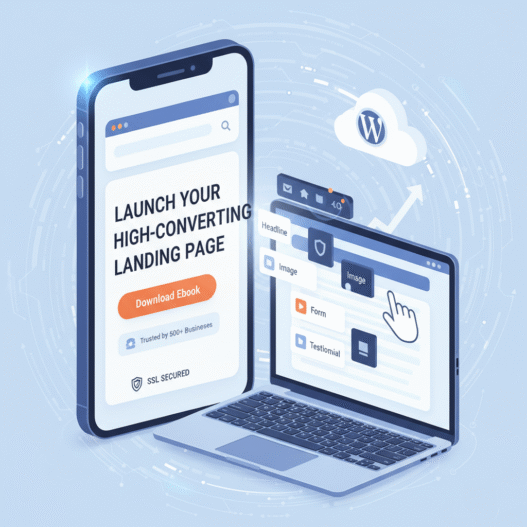
This comprehensive guide will walk you through the essential 5 steps—from initial planning to final integration—to build landing pages that look professional, load fast, and most importantly, convert your visitors into customers.
Step 1: Define Goal for Your Custom WordPress Landing Page
Every successful landing page starts with a crystal-clear objective. If you don’t know what you want the visitor to do, they certainly won’t know either.
- Define Your CTA (Call to Action): The CTA must be singular. What single action must the user take? (e.g., Download an eBook, Request a Quote, Sign Up for a Trial).
- Know Your Visitor: Are they a first-time visitor researching solutions, or a warmer lead ready to buy? This dictates the tone and the amount of information needed on the page.
Why Customization Beats Standard Pages
A standard WordPress page (like a blog post or About Us page) has too many distractions—header menus, sidebars, and footer links all compete for attention. A true custom landing page removes these elements, focusing all visitor attention squarely on the conversion goal. This focus is the core reason why custom landing page wordpress designs outperform general pages.
Step 2: Select the Right WordPress Landing Page Builder
Building a high-quality custom design without breaking the bank or requiring extensive coding relies on choosing the correct page builder.
Key Considerations When Choosing a Builder for High-Converting Pages:
- Performance (Speed): Does the builder produce clean, lightweight code? Bloated code kills speed, and slow loading pages cause high bounce rates.
- Template Library: Does it offer pre-designed templates specifically marked as “Landing Page” templates that are already stripped of navigation?
- Usability: How intuitive is the drag-and-drop interface for quick, iterative design changes?
Tip: Many top-tier builders are optimized to work seamlessly with your primary keyword, wordpress landing page builder, by offering flexible design modules.
Step 3: Design Principles for High Conversion
Design is not just about looking pretty; it’s about strategically guiding the user’s eye directly to the desired Call to Action (CTA).
Crafting the Irresistible Headline
Your main headline must be clear, benefit-driven, and immediately communicate the value proposition. It should naturally incorporate your main keyword cluster.
Weak Example: Learn About Our Service
- Client Logos or Well-Known Partner Logos (If applicable)
- Short, Powerful Testimonials or Case Study Snippets
- Security Badges (SSL, Privacy Focused)
- Social Proof (e.g., “Trusted by 500+ Businesses”)
Strong Example: Launch Your High-Converting Custom Landing Page in WordPress Today.
Leveraging Trust Signals
Visitors are inherently skeptical. You must earn their trust quickly before asking them to commit.
Essential Trust Signals Checklist:
Step 4: Optimization: Speed and Mobile Responsiveness are Non-Negotiable
Speed and mobile experience can make or break your landing page. A fast-loading site keeps visitors engaged, while a mobile-friendly layout ensures accessibility on all devices.
Quick Tips:
- Compress images and use caching plugins like WP Rocket.
- Use a CDN for faster global delivery.
- Test your design on mobile to ensure buttons, forms, and CTAs display properly.
A page that loads within 3 seconds and looks perfect on every device builds trust, reduces bounce rate, and boosts conversions.
Step 5: Integrate Analytics and A/B Testing
After publishing, track performance to keep improving your results.
- Use Google Analytics and Tag Manager to monitor clicks and conversions.
- Run A/B tests to compare headlines, images, and CTAs.
- Review data monthly and refine based on user behavior.
Constant testing ensures your landing page stays optimized and continues delivering better conversion rates over time.
Conclusion
Building a custom WordPress landing page isn’t just about design—it’s about strategy and refinement. By setting clear goals, using the right tools, optimizing speed, and analyzing results, you turn visitors into customers.
Keep testing, keep improving, and watch your conversions grow with every iteration.
For a deeper look at optimizing your WordPress pages, check out our WordPress Maintenance Services guide — it covers essential tips to keep your site secure and high-performing.
1 Comment
I followed Step 3 and already saw an improvement in user engagement. Very helpful article!