
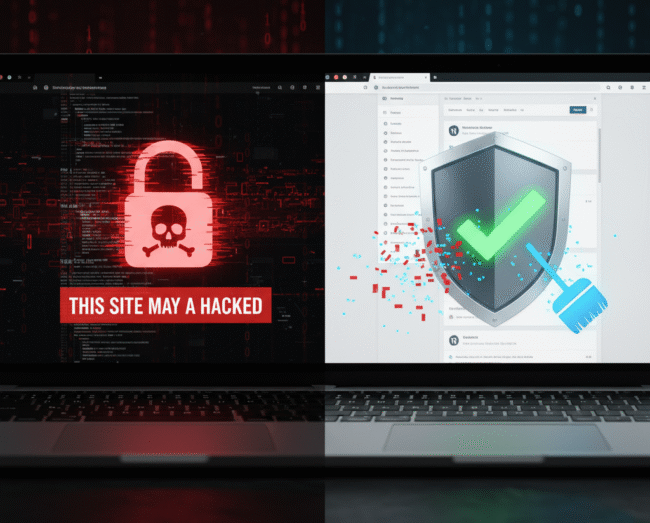
When your WordPress site is compromised, the clock is ticking. You see the scary red screens, the weird redirects, or the suspicious links, and you know you need help fast. Dealing with a hack isn’t just about deleting a few files; it requires a deep, forensic cleanup. That’s where an expert WordPress Malware Removal Service becomes your essential shield. This ultimate guide will break down exactly what a professional service does, why you shouldn’t attempt a {DIY} fix, and how to choose the right expert to restore your site’s security, performance, and peace of mind.
Why Traditional WordPress Cleaning Fails (and Experts Win)
Many website owners try to fix a hack by deleting a few infected files or reinstalling WordPress. This approach often leads to a re-infection within days. Why? Because malware is sophisticated—it hides backdoors in obscure places.
The Hidden Threats Only an Expert Finds
- Database Infections: Malicious code is often injected into your t{wp\_options} table, hiding in themes or widgets, which a simple file scan misses.
- Zero-Day Vulnerabilities: The original cause of the hack (the vulnerability) is still there. An expert identifies and patches the core issue.
- Obscured Backdoors: Hackers leave small scripts (PHP or {JS}snippets) that allow them to regain access even after you’ve deleted the main virus payload.
If you are looking for a reliable WordPress Malware Removal Service, make sure they address these critical hidden threats, not just the visible symptoms.
The {WPExperts24x7} 5-Point Expert Malware Removal Process
A reliable WordPress Malware Removal Service follows a structured, military-grade process to ensure complete cleanup and future protection.
At WPExperts24x7, our team uses advanced scanning tools to detect every hidden threat in your WordPress files and database. We carefully remove malicious code, backdoors, and injected scripts without affecting your site’s core functionality. Once cleaned, we apply powerful security patches and hardening techniques to prevent reinfection. Finally, we monitor and optimize your website’s performance for long-term safety and reliability.
Phase 1: Forensic Investigation & Isolation
- Immediate Isolation: We take your site offline and move it to a clean, isolated environment to prevent further damage or spreading.
- Deep-Scan Analysis: Using proprietary tools, we perform a core file integrity check, comparing your files against the official WordPress repository to flag every foreign or modified file.
- Vulnerability Identification: We trace the initial point of entry (e.g., outdated plugin, weak password) to prevent the same hack from happening again.
Phase 2: Complete Cleaning & Sanitization
- Malware Extermination: All infected files, hidden {PHP}shells, and malicious redirects are surgically removed.
- Database Purge: The database is meticulously scanned and cleaned of all malicious code and junk entries.
- Core File Replacement: All core WordPress files are replaced with fresh, official versions to ensure no hidden code remains.
Phase 3: Post-Cleanup Security Hardening
- Plugin & Theme Audit: All plugins and themes are updated to their latest, most secure versions.
- Security Measures: We implement advanced security headers, two-factor authentication, and harden the .htaccess file.
- Search Engine Review: We submit a review request to Google and other search engines to remove the “This site may be hacked” warning.Checklist: What to Expect from a Top-Tier Service
When hiring a WordPress Malware Removal Service, always check for the following non-negotiable guarantees:
- Guaranteed Re-Infection Fix: They should offer a 30-day or 60-day guarantee that if the site gets hacked again from the same vulnerability, they fix it for free.
- Zero Downtime Promise: The service should aim to restore your site quickly to minimize loss of traffic and revenue.
- Comprehensive Final Report: You must receive a detailed report outlining the cause of the hack and the steps taken to prevent future attacks.
Don’t Wait: The Cost of Delaying Malware Removal
Every minute your site remains infected, your SEO ranking is dropping, your brand trust is eroding, and your customer data is at risk.
By investing in a professional WordPress Malware Removal Service today, you save thousands in potential fines, lost revenue, and damage to your reputation tomorrow.
Final thought:
If you’re facing a security emergency, stop wasting time with uncertain {DIY} methods. To immediately restore your website’s integrity and security, contact our expert team now for a [Free, Instant Security Scan]. We are ready to deploy our specialized [WordPress Malware Removal Service] immediately!
3 Comments
This guide offers clear steps for removing WordPress malware. Very helpful for anyone trying to secure their site.
This guide explains malware removal in a very simple and effective way. Great resource for securing any WordPress site!
Clear, practical and super helpful tips for securing WordPress. Loved the step-by-step approach.