
Why Google Blacklists Hacked WordPress Sites & How to Recover SEO Rankings
A Clean Hacked WordPress Site is essential when your website faces malware attacks, Google warnings, or sudden ranking drops due to security issues.WordPress is the most widely used content management system in the world, which also makes it one of the most common targets for hackers. When a WordPress website gets hacked and is not cleaned properly or on time, Google takes strict action to protect users. One of the biggest actions Google takes is blacklisting the website.
For website owners, this situation becomes extremely stressful. Traffic suddenly drops, rankings disappear, and users stop trusting the site. Many business owners panic because they don’t understand why their site was flagged or how to fix it. If you are facing such issues, a professional Clean Hacked WordPress Site service from WPExperts24x7.com can help you recover safely and quickly.
In this blog, you will learn why Google blacklists hacked WordPress sites, how it affects SEO, and the exact steps required to recover rankings and rebuild trust.
What Does Google Blacklist Mean
Google blacklist is a security measure where Google marks a website as unsafe for visitors. This usually happens when Google detects harmful code, malware, phishing scripts, or spam behavior on a website.
Once blacklisted, Google warns users before they even visit your site, which causes massive traffic loss and long-term SEO damage.
Common Reasons Google Blacklists WordPress Sites
- Malware or virus injected into files
- Phishing pages created without owner knowledge
- Spam keywords or hidden spam links
- Malicious redirects to unsafe websites
- Outdated WordPress core, plugins, or themes
Google’s main goal is to protect users, not punish website owners. However, the impact can be devastating if the issue is ignored.
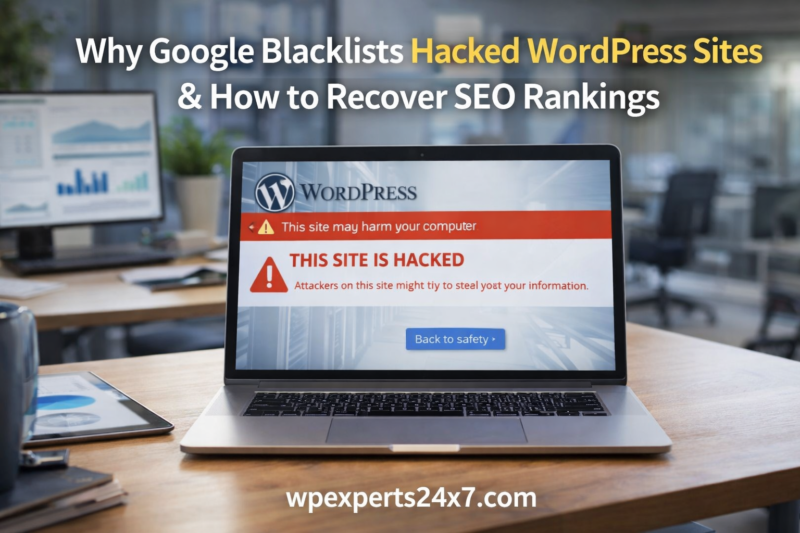
Warning Messages Users See on Blacklisted Sites
When your WordPress site is blacklisted, visitors may see warnings such as:
- “This site may harm your computer”
- “Deceptive site ahead”
- “This website has been hacked”
These warnings instantly scare users away. Even loyal visitors hesitate to open the site, resulting in lost trust and credibility.
How Hackers Compromise WordPress Sites Without Warning
Many WordPress website owners are shocked to discover their site is hacked because there are often no visible signs at first. Hackers silently inject malicious scripts, spam links, or backdoor files into plugins, themes, or the database. These hidden threats run in the background and slowly damage the website’s performance and credibility. Over time, the infected site may start redirecting visitors to suspicious pages or sending harmful signals to search engines. Since these activities happen without the owner’s knowledge, the damage grows until Google detects the risk and takes action. That is why regular security checks and a reliable Clean Hacked WordPress Site approach are essential to keep a WordPress website safe and trustworthy.
SEO Impact of a Google Blacklisted Website
A hacked and blacklisted WordPress site suffers severe SEO consequences.
Major SEO Problems Caused by Blacklisting
- Organic traffic drops by 80–100%
- Keywords disappear from Google search results
- Google Search Console shows security warnings
- Domain authority and trust score decrease
- Paid ads and promotions get rejected
Recovering from this stage requires proper cleaning and a strategic SEO recovery plan.
Why WordPress Websites Get Hacked
Many website owners believe hacking happens only to large websites, but small and medium WordPress sites are equally vulnerable.
Most Common Causes of WordPress Hacking
- Outdated plugins and themes
- Weak admin usernames and passwords
- Use of nulled or pirated themes
- Poor hosting security
- Lack of firewall or malware scanning
These vulnerabilities give hackers easy access to your website.
Why Cleaning a Hacked WordPress Site Is Critical
Deleting visible malware is not enough. Without a proper Clean Hacked WordPress Site process, hidden backdoors remain active, allowing hackers to reinfect the site.
Why Proper Cleaning Is Necessary
- To remove all malicious code completely
- To regain Google trust and visibility
- To protect user data and business reputation
- To prevent repeated hacking incidents
Professional cleaning services like WPExperts24x7.com ensure deep-level scanning and complete security hardening.
How Blacklisting Damages SEO and Business Growth
When Google blacklists a WordPress site, SEO rankings drop drastically. Keywords disappear from search results, organic traffic falls sharply, and Google Search Console starts showing security issues. For business owners, this means loss of customers, reduced sales, and broken trust. Even if the website looks normal, hidden malware continues harming SEO in the background. Many site owners feel frustrated because they invest time and money in SEO, yet everything collapses overnight. Professional WordPress services from WPExperts24x7.com help website owners fix these issues properly and regain control over their online presence.
Step-by-Step Process to Clean a Hacked WordPress Site
1. Complete Malware and Virus Removal
- Identify infected files and scripts
- Clean or replace compromised core files
2. Remove Spam Links and Fake Pages
- Delete hidden spam links
- Clean database injections
3. Update WordPress Core, Themes, and Plugins
- Install latest secure versions
- Remove unused or vulnerable plugins
4. Strengthen Website Security
- Set strong passwords and user roles
- Apply firewall and security rules
These steps must be done carefully to avoid breaking the website or losing data.
How to Recover SEO Rankings After Google Blacklist
Fix Security Issues in Google Search Console
- Review the Security Issues section
- Fix all reported problems
- Submit a reconsideration request
Request Reindexing of Clean Pages
- Resubmit important URLs
- Update and submit XML sitemap
Rebuild Content Trust
- Publish fresh, helpful, and original content
- Avoid keyword stuffing or spam tactics
Audit Backlinks
- Remove toxic or spam backlinks
- Focus on quality and relevance
How Long Does SEO Recovery Take
SEO recovery depends on the severity of the hack.
- Minor infection: 2–4 weeks
- Medium infection: 1–2 months
- Severe malware attack: 3 months or more
Using expert services from WPExperts24x7.com can significantly reduce recovery time.
Recovering Rankings with a Clean and Secure WordPress Site
SEO recovery starts only after a complete cleanup of the hacked website. A proper Clean Hacked WordPress Site process includes malware removal, spam link cleanup, security hardening, and Google review submission. Once the site is clean, Google slowly restores trust, and rankings begin to improve. Regular updates, strong security measures, and ongoing maintenance are also essential to prevent future attacks. Website owners who are worried about repeated hacks and ranking loss can rely on WPExperts24x7.com for complete WordPress solutions, ensuring long-term security, stability, and SEO growth.
Why Professional WordPress Cleaning Services Matter
DIY cleaning often leaves hidden malware behind, causing repeated issues.
Benefits of Hiring Professionals
- Complete malware and backdoor removal
- Google blacklist recovery assistance
- SEO-safe cleaning methods
- Long-term website protection
Professional services save time, money, and stress.
Real Problems Website Owners Face After Hacking
- Sudden loss of traffic and leads
- Customer trust and brand damage
- Google warnings affecting sales
- Repeated hacking despite basic fixes
These problems create frustration and business uncertainty.
How WPExperts24x7.com Helps WordPress Owners
WPExperts24x7.com provides complete WordPress solutions under one roof, including:
- Clean Hacked WordPress Site service
- Malware and virus removal
- WordPress security hardening
- Speed optimization
- Ongoing WordPress maintenance
Website owners can rely on a single trusted platform for all WordPress-related issues.
Extra Security Steps to Prevent Future Blacklisting
Advanced Prevention Measures
- Enable real-time security monitoring
- Use regular automated backups
- Limit login attempts
- Monitor file changes
These extra steps significantly reduce future risks.
Importance of Regular WordPress Maintenance
Regular maintenance is often ignored but plays a crucial role in website security.
Why Maintenance Is Essential
- Prevents plugin and theme vulnerabilities
- Detects threats early
- Keeps performance and SEO stable
Ongoing maintenance services from WPExperts24x7.com help keep your site safe year-round.
Conclusion
Google blacklists hacked WordPress sites to protect users, but the consequences for website owners can be severe. Ignoring the issue only worsens traffic loss and SEO damage. A proper Clean Hacked WordPress Site approach is the only safe way to restore rankings, trust, and visibility.
If you are worried about your WordPress website’s security and SEO performance, visiting WPExperts24x7.com can help you fix the problem professionally and ensure long-term protection. Taking timely action today can save your website from permanent damage tomorrow.