
Why WordPress Websites Crash After Plugin or Theme Updates
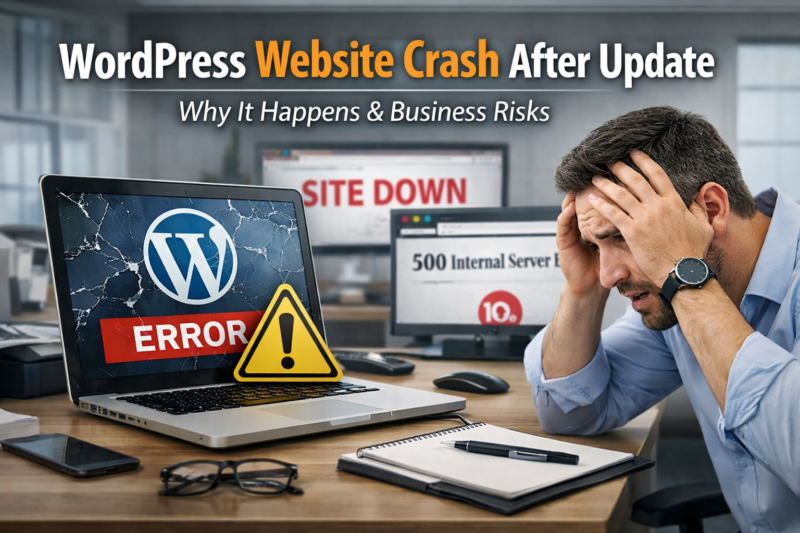
WordPress website crash after update is a serious issue that many website owners face when updating plugins or themes. WordPress is one of the most powerful and flexible content management systems in the world. Millions of businesses, bloggers, and agencies use WordPress to run their websites. However, one common and dangerous issue that many website owners face is website crashes after plugin or theme updates.
Many users think updates are safe and simple, but the reality is very different. Even a small update can break your website completely, causing downtime, traffic loss, and revenue loss. This is why WordPress updates require professional handling from experts like Wpexperts24x7 to avoid serious website disasters.
Many businesses experience WordPress website crash after update, which can lead to downtime, traffic loss, and customer frustration.
What Happens When a WordPress Website Crashes After Update
A WordPress website crash can cause multiple technical and business problems. When a plugin or theme update goes wrong, your site may become inaccessible, display errors, or lose functionality.
Website crashes often result in:
- White screen of death
- 500 internal server errors
- Broken layouts and missing content
- Non-working forms or checkout pages
- Complete website downtime
These issues directly impact your brand reputation and customer trust. Many business owners realize the importance of professional WordPress services only after experiencing such crashes.
Why Plugin Updates Cause WordPress Website Crashes
Plugins add functionality to WordPress, but they also introduce risks. Every plugin update changes the code, database, and system behavior.
Plugin Compatibility Issues
Many plugins are not compatible with the latest WordPress version or other plugins installed on your website. When you update one plugin, it can conflict with others and cause system crashes.
Poorly Coded Plugins
Some plugins are developed by inexperienced developers. These plugins may contain bugs, security flaws, or unstable code that breaks your website after an update.
Auto-Update Risks
Many website owners enable automatic updates without understanding the consequences. Auto-updates can run in the background and crash your site without warning.
Businesses that rely on WordPress for revenue should always monitor updates with professional WordPress experts like Wpexperts24x7 to avoid downtime.
Why Theme Updates Break WordPress Websites
Themes control the design and layout of your WordPress website. Updating a theme may look simple, but it can destroy your website structure.
Custom Code Loss
Many websites use custom code in theme files. When the theme updates, all customizations may be overwritten, causing broken layouts and missing features.
Theme Builder Conflicts
Modern themes use page builders like Elementor, WPBakery, or Gutenberg. When themes update, builder compatibility issues may arise, leading to broken pages and layout errors.
Deprecated Functions
Theme developers sometimes remove old functions during updates. This can break widgets, menus, and dynamic content.
Professional WordPress maintenance services from Wpexperts24x7 help prevent such issues and ensure smooth updates without breaking your site.
Why WordPress Core Updates Also Cause Crashes
Many people blame plugins and themes, but WordPress core updates can also crash websites.
PHP Version Conflicts
New WordPress versions may require updated PHP versions. If your hosting server uses outdated PHP, your website may crash after update.
Database Structure Changes
WordPress updates sometimes change database structure, which can break old plugins and themes.
Hosting Environment Issues
Some hosting providers are not optimized for WordPress updates, leading to performance and stability issues.
This is why businesses prefer managed WordPress services from Wpexperts24x7 instead of cheap shared hosting environments.
Business Risks of WordPress Website Crashes
A crashed website is not just a technical issue. It is a serious business problem.
Loss of Traffic
Google does not like broken websites. If your site is down, you may lose rankings and organic traffic.
Revenue Loss
Ecommerce stores and service websites lose customers when the site is unavailable. Even a few hours of downtime can cause huge losses.
Brand Reputation Damage
Users lose trust when they see errors or broken pages. A crashed website makes your brand look unprofessional and unreliable.
This is why many businesses rely on professional WordPress update services from Wpexperts24x7 to maintain uptime and performance.
Visit More : WordPress Expert Support
Hidden Technical Problems After Updates
Not all crashes are visible. Some issues remain hidden but harm your website silently.
Broken Contact Forms
After updates, contact forms may stop working, causing loss of leads and inquiries.
Payment Gateway Failures
WooCommerce updates can break payment gateways, causing failed transactions and customer complaints.
SEO Structure Damage
Theme updates can change URLs, meta tags, and structured data, affecting search engine rankings.
Speed & Performance Issues
Some updates add heavy scripts and code, slowing down your website and increasing bounce rates.
Professional WordPress experts at Wpexperts24x7 monitor these hidden issues to protect business performance.
Why DIY Updates Are Dangerous for Businesses
Many website owners try to update plugins and themes themselves to save money. But DIY updates can be extremely risky.
No Backup Strategy
Without proper backups, you cannot restore your website if something goes wrong.
No Testing Environment
Professional developers use staging environments to test updates. DIY users update directly on live websites, risking crashes.
Lack of Technical Knowledge
Most business owners do not understand PHP, databases, server configurations, and WordPress architecture.
This is why hiring WordPress experts like Wpexperts24x7 is crucial for safe and secure website management.
Why Businesses Need Professional WordPress Update Management
WordPress updates are not just about clicking the update button. They require planning, testing, monitoring, and troubleshooting.
Professional WordPress maintenance services help businesses avoid downtime, errors, and security risks.
Businesses that use Wpexperts24x7 for WordPress updates benefit from stable websites, better performance, and uninterrupted operations.
Common Signs Your WordPress Website Crashed After Update
Many users are not sure if their website has crashed after an update. Some common signs include:
- Website showing error messages
- Pages loading incorrectly
- Admin dashboard inaccessible
- Slow loading or timeout errors
- Missing images or broken layouts
If you notice any of these issues, it is a sign that your WordPress site needs professional attention.
Why Website Downtime Is Critical for SEO & Leads
Search engines prefer stable and fast websites. When your website crashes frequently, Google may reduce your rankings.
This directly affects lead generation and business growth. Companies that rely on WordPress for marketing must ensure their websites are always up and running with professional WordPress services from Wpexperts24x7.
Final Thoughts
WordPress plugin and theme updates are essential, but they come with serious risks. A single wrong update can crash your entire website, causing traffic loss, revenue loss, and brand damage.
This is why businesses should never take WordPress updates lightly. Professional WordPress experts like Wpexperts24x7 provide reliable update management and maintenance services to keep websites secure, stable, and fully functional.
If your WordPress website has crashed after an update or you want to prevent future issues, Wpexperts24x7 is your trusted partner for professional WordPress update and maintenance support.
FAQs
1. Why does my WordPress website crash after plugin updates?
WordPress websites often crash after plugin updates due to compatibility conflicts, outdated PHP versions, or poorly coded plugins. These issues can break website functionality and cause downtime for users.
2. Why do theme updates break my WordPress website design?
Theme updates can overwrite custom code, remove features, or conflict with page builders. This often leads to broken layouts, missing sections, and design errors on your website.
3. Why does WordPress show a white screen after updates?
The white screen of death usually happens due to PHP errors, plugin conflicts, memory issues, or server configuration problems triggered after updates.
4. Why is my WordPress admin dashboard not accessible after an update?
Admin panel issues after updates can occur because of corrupted files, database errors, incompatible plugins, or hosting server limitations.
5. Why does my WordPress site become slow after plugin or theme updates?
Some updates add heavy scripts, new features, or unoptimized code that can slow down website performance and increase loading time.
6. Why do WordPress updates affect SEO rankings?
Website crashes, broken pages, and downtime after updates can negatively impact Google rankings, organic traffic, and overall SEO performance.
7. Why do WooCommerce stores stop working after updates?
WooCommerce updates can cause payment gateway issues, checkout errors, or product display problems due to plugin and theme conflicts.
8. Why is it risky to update WordPress without expert support?
Updating WordPress without technical knowledge can lead to website crashes, data loss, downtime, and business disruption, especially for live websites.
9. Why do WordPress auto-updates cause unexpected website errors?
Auto-updates run without testing, which can trigger plugin conflicts, server issues, or broken website functionality without warning.
10. Why should businesses worry about WordPress website downtime after updates?
Downtime affects user trust, sales, lead generation, and brand reputation. Even a few minutes of downtime can cause serious business losses.