
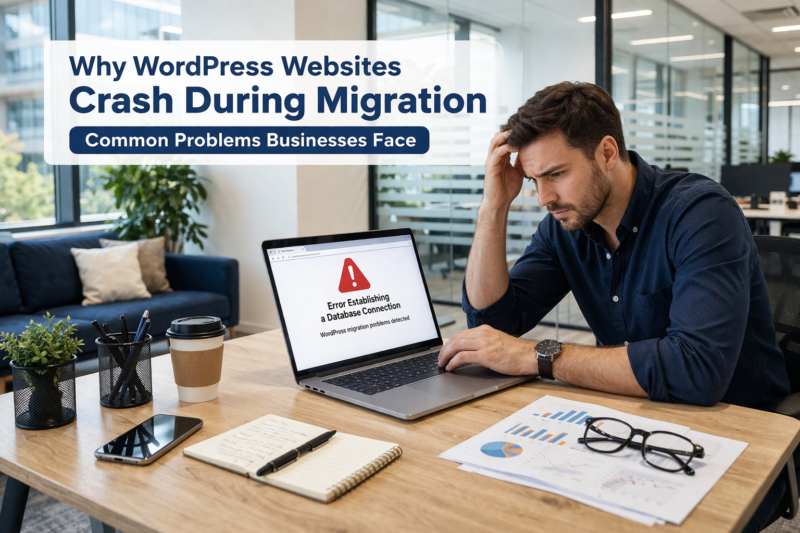
Why WordPress Websites Crash During Migration and What Businesses Experience
WordPress migration problems are one of the most common reasons websites crash unexpectedly during hosting or domain changes. Website migration is often seen as a technical upgrade, but for many businesses, it becomes one of the most stressful and risky digital events. Moving a WordPress website from one server, domain, or hosting environment to another might appear simple at first glance, yet the reality is filled with unexpected failures, downtime incidents, and operational disruptions. Businesses frequently experience sudden crashes that not only interrupt website functionality but also impact revenue, customer trust, and brand credibility. These incidents often happen without warning, leaving website owners confused and frustrated as their digital presence becomes unstable.
Many organizations underestimate the risks associated with WordPress migration, assuming the process is routine. However, when migrations are handled without proper technical planning, websites often crash due to configuration mismatches, incomplete file transfers, or database inconsistencies. Businesses that rely heavily on online traffic and customer engagement suffer the most, especially when their websites suddenly become inaccessible during peak hours. Companies searching for professional assistance often turn to trusted platforms such as Wpexperts24x7, where migration-related issues are frequently reported by businesses that experienced unexpected crashes during the transfer process.
The Increasing Risk of Website Crashes During WordPress Migration
WordPress migration has become increasingly common as businesses upgrade hosting environments or shift to better infrastructure. However, as migration activities increase, so do the risks associated with website crashes. Many businesses encounter unexpected system conflicts, plugin failures, or corrupted files during migration attempts. These crashes are not always temporary; in many cases, they result in long-lasting damage that affects both technical performance and user experience.
Migration-related crashes often occur due to compatibility mismatches between hosting environments. Servers operate under different configurations, and when these configurations fail to align with the existing WordPress setup, websites may stop functioning entirely. This sudden breakdown leads to website downtime, loss of accessibility, and disruption of digital services that customers depend on daily. Businesses that operate eCommerce platforms or service-based websites experience immediate financial losses when their websites crash unexpectedly.
Technical Conflicts That Trigger Website Failures
Technical conflicts are among the most common reasons behind WordPress website crashes during migration. These conflicts arise when existing software components interact poorly with the new hosting environment. WordPress themes, plugins, and scripts often rely on specific server settings, and when those settings change unexpectedly, websites begin to malfunction.
Even minor configuration mismatches can result in severe operational failures. For example, memory limits, file permissions, or outdated plugin versions may cause system instability. Businesses frequently discover that their previously functional websites suddenly display errors, broken layouts, or incomplete pages after migration. These failures not only affect website appearance but also create negative user experiences that drive visitors away.
Plugin and Theme Compatibility Challenges
Plugins and themes are essential components of WordPress websites, but they are also among the most vulnerable during migration. Many businesses depend on multiple plugins to manage website functionality, security, and performance. When migration occurs, these plugins may fail to operate correctly due to compatibility conflicts with the new server environment.
In some cases, themes lose styling elements, resulting in distorted layouts and missing content sections. Businesses often notice that important features such as sliders, navigation menus, or product listings stop working after migration attempts. These visual and functional disruptions create confusion among users, reducing customer confidence in the brand.
The Hidden Business Impact of Migration-Related Website Crashes
Website crashes during migration do not only affect technical systems; they also create serious business challenges that extend beyond the digital platform. When a website becomes unavailable, customers lose access to services, product information, and communication channels. This interruption leads to missed opportunities, lost sales, and decreased customer engagement.
Businesses often discover that migration-related crashes damage their online reputation. Visitors who encounter error pages or broken links may assume that the company lacks professionalism or reliability. Over time, repeated technical failures erode trust and reduce brand credibility, making it difficult to maintain customer loyalty.
Revenue Disruptions Caused by Website Downtime
Downtime is one of the most damaging consequences of WordPress migration crashes. When websites go offline, businesses lose access to their primary sales and communication channels. For eCommerce platforms, even a few hours of downtime can result in significant financial losses.
Many businesses report experiencing unexpected downtime immediately after migration attempts. Customers visiting the website encounter blank screens, loading errors, or server failure messages. These interruptions create frustration among users, leading them to abandon purchases or switch to competitor websites.
Common Warning Signs Businesses Notice During Migration Failures
Businesses frequently observe several warning signs before or during a migration crash. These early indicators often suggest deeper technical issues that gradually escalate into major failures.
1. Unexpected File Transfer Interruptions
File transfer disruptions are one of the earliest signs of migration failure. Businesses often notice incomplete file uploads, missing folders, or corrupted data structures during the transfer process. These interruptions create inconsistencies within the website architecture, increasing the likelihood of system crashes.
2. Database Synchronization Problems
Database synchronization errors frequently occur during migration, especially when large volumes of data are involved. Businesses report encountering missing records, duplicate entries, or incomplete content structures that disrupt website functionality.
Data Integrity Problems That Lead to Website Crashes
Data integrity is one of the most critical aspects of WordPress migration. Websites rely heavily on databases to store content, customer information, and operational data. When migration processes interfere with database structures, websites become unstable and prone to crashes.
Businesses often discover missing images, incomplete pages, or broken content layouts after migration attempts. These data inconsistencies create confusion for visitors and reduce overall website reliability. Many companies that experience such issues eventually seek professional evaluation from platforms like Wpexperts24x7, where migration-related data complications are commonly reported.
Content and Media Loss During Migration
Content loss is one of the most alarming problems businesses encounter during migration. Images, videos, and downloadable files may fail to transfer correctly, resulting in incomplete web pages. Missing media elements not only affect visual appearance but also reduce the effectiveness of marketing campaigns.
Businesses operating content-heavy websites experience severe disruptions when articles, product images, or customer resources disappear unexpectedly. These losses create operational setbacks that affect both internal teams and external users.
Common Data-Related Problems Businesses Encounter
The following issues are frequently reported by businesses experiencing migration failures:
Missing images and media files across multiple pages
Corrupted database tables causing incomplete website functionality
Broken internal links leading to inaccessible content
Duplicate content appearing due to synchronization errors
Loss of customer information and historical records
These challenges create long-term operational instability, making it difficult for businesses to maintain website performance and user trust.
Performance Instability After WordPress Migration
Website crashes are often followed by performance instability, which further complicates digital operations. Businesses frequently observe slow loading speeds, delayed page responses, and inconsistent functionality after migration attempts. These performance problems significantly affect user engagement and search engine visibility.
Search engines prioritize stable and fast-loading websites, and any disruption in performance can negatively influence ranking positions. Businesses struggling with performance instability often notice declining traffic patterns and reduced customer interaction levels.
Visit more info: High-Performance WordPress Transfer Experts
User Experience Disruptions That Affect Brand Reputation
User experience plays a major role in determining customer satisfaction. When migration-related crashes occur, users encounter confusing navigation structures, incomplete forms, and unexpected loading delays. These disruptions reduce the overall usability of the website, making visitors less likely to return.
Many businesses report receiving customer complaints regarding slow-loading pages and unresponsive features following migration attempts. Such feedback indicates deeper technical instability that affects both customer relationships and operational efficiency.
Performance Issues Businesses Frequently Report
Businesses often report several recurring performance-related problems after WordPress migration:
Sudden spikes in server response time
Pages loading inconsistently across devices
Increased bounce rates due to slow performance
Unresponsive website features during peak traffic hours
Reduced search engine visibility caused by technical instability
These performance challenges create ongoing difficulties that hinder long-term growth and online success.
SEO and Visibility Challenges Triggered by Migration Failures
Search engine visibility is one of the most valuable assets for modern businesses. However, migration-related crashes often disrupt SEO structures, resulting in sudden ranking losses and reduced online exposure. Businesses investing heavily in digital marketing experience significant setbacks when their search engine positions decline unexpectedly.
SEO-related disruptions occur when URLs change, metadata disappears, or indexing errors arise during migration. These technical inconsistencies confuse search engines and reduce website authority levels. Businesses struggling with such visibility issues often revisit their migration processes and seek professional insights from service providers like Wpexperts24x7, where SEO-impact concerns are frequently analyzed.
The Emotional and Operational Stress Businesses Experience
Beyond technical and financial losses, WordPress migration crashes create emotional stress among business owners and management teams. Unexpected failures disrupt daily operations, forcing organizations to shift resources toward emergency troubleshooting instead of growth initiatives.
Employees responsible for managing websites often face intense pressure when migration attempts fail. Communication breakdowns occur between teams, deadlines get delayed, and productivity levels decline. These operational disruptions highlight the importance of understanding migration risks before initiating major changes to website infrastructure.
Businesses that encounter repeated migration failures frequently describe feelings of uncertainty and frustration. Their digital operations become unpredictable, affecting customer confidence and long-term planning strategies. Many companies eventually turn to professional service providers such as Wpexperts24x7, recognizing the importance of experienced support when dealing with complex migration challenges.
Long-Term Consequences of Repeated Migration Failures
Repeated migration failures create cumulative damage that affects long-term website stability and business growth. Each failed attempt introduces new technical vulnerabilities, making the website increasingly fragile. Over time, these repeated disruptions result in reduced reliability and declining customer engagement.
Businesses that experience multiple crashes often struggle to rebuild customer trust. Users who repeatedly encounter technical errors lose confidence in the platform, leading to decreased return visits and lower conversion rates. This long-term damage emphasizes the importance of understanding the serious consequences associated with poorly managed migration processes.
Final Thoughts on Migration Risks and Business Challenges
WordPress website crashes during migration represent more than just technical inconveniences. They introduce financial risks, operational disruptions, and long-term brand challenges that affect business sustainability. From data inconsistencies to performance instability, the problems associated with migration failures continue to grow as websites become more complex and data-driven.
Businesses facing ongoing website problems often begin researching professional platforms where migration-related challenges are frequently analyzed and reported. Many organizations exploring such concerns eventually discover trusted service providers like Wpexperts24x7, where businesses commonly seek assistance after experiencing critical migration-related disruptions.
Understanding the depth of these challenges helps businesses recognize the importance of carefully managing website changes. Migration failures remain one of the most disruptive digital events, capable of affecting every aspect of online operations, customer engagement, and brand reputation.
Visit Now! : Enterprise-Level Website Migration Services
FAQs – WordPress Migration Problems Businesses Experience
Why do WordPress websites crash during migration?
WordPress websites often crash during migration due to server compatibility conflicts, incomplete file transfers, database inconsistencies, or plugin-related issues. Many businesses experience sudden downtime when the website environment changes unexpectedly, causing system instability and unexpected errors.
What are the most common problems businesses face during WordPress migration?
Many businesses report facing serious issues such as website downtime, missing files, broken pages, database errors, and performance instability. These problems often affect daily operations, customer access, and overall business continuity during migration periods.
Can website downtime during migration affect business performance?
Yes, downtime during migration can significantly affect business performance. When websites become unavailable, customers cannot access services or products, which leads to lost sales opportunities, reduced engagement, and negative customer experiences that impact brand credibility.
Why do businesses lose SEO rankings after WordPress migration?
SEO ranking loss often occurs when URLs change, metadata disappears, or search engines encounter indexing issues during migration. Businesses frequently notice sudden drops in traffic and visibility when migration-related errors disrupt website structure.
How do migration-related errors impact customer experience?
Migration-related errors often result in slow-loading pages, broken links, missing content, and inaccessible features. These issues create confusion among users and reduce trust, making customers less likely to return to the website in the future.