
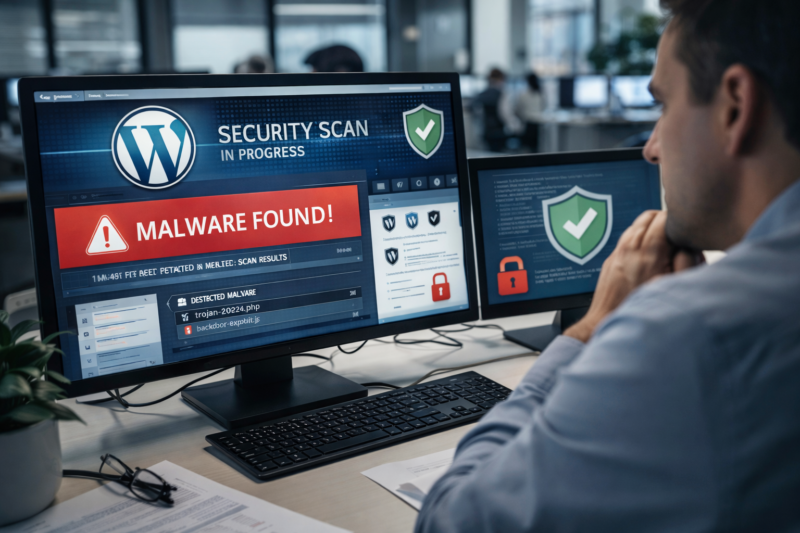
WordPress is the most popular content management system in the world, powering millions of websites across different industries. Its popularity also makes it a prime target for hackers, malware attacks, and automated bots. Many website owners believe that installing a security plugin once is enough, but in reality, threats are constantly evolving. This is why WordPress security scans are not optional anymore—they are essential.
Regular security scans help identify hidden malware, suspicious files, backdoors, and vulnerabilities before they cause serious damage. Without routine scanning, malicious code can stay unnoticed for weeks or even months, silently harming your website’s SEO, performance, and user trust. Businesses that rely on WordPress for leads and revenue cannot afford such risks.
At WPExperts24x7, we often see websites that appear normal on the surface but are infected internally. Regular scanning is the first and most important step toward maintaining a secure and healthy WordPress website.
What Are WordPress Security Scans?
WordPress security scans are automated or manual processes that check your website for malware, viruses, suspicious scripts, and security weaknesses. These scans analyze your core WordPress files, themes, plugins, databases, and server configurations.
A security scan typically checks for:
- Malware injections and malicious scripts
- Unauthorized file changes
- Backdoors and hidden admin users
- Spam links and SEO poisoning
- Vulnerable or outdated plugins and themes
Regular WordPress security scans ensure that your site remains clean and protected against both known and unknown threats.
Why WordPress Websites Are Frequent Targets
WordPress websites are attacked not because they are weak, but because they are widely used. Hackers use automated tools to scan thousands of sites daily, looking for small vulnerabilities.
Common reasons WordPress sites get hacked:
- Outdated plugins or themes
- Weak admin passwords
- Insecure hosting environments
- Poor file permissions
- No regular security monitoring
Once attackers find a weakness, they inject malware that can steal data, redirect traffic, or turn your site into a spam distribution hub. Regular WordPress security scans help identify these issues early.
Early Malware Detection Saves Your Website
One of the biggest advantages of regular security scans is early malware detection. Most malware is designed to stay hidden and avoid detection while causing damage in the background.
Early detection helps you:
- Remove malware before it spreads
- Prevent Google blacklisting
- Protect customer and admin data
- Avoid complete site breakdown
At WPExperts24x7, our malware removal team often cleans sites where scans were ignored for months. Early scanning could have saved time, money, and reputation.
Impact of Malware on SEO and Rankings
Many website owners notice a sudden drop in traffic without understanding the cause. In many cases, malware is the hidden reason. Google actively penalizes infected websites.
Malware can harm SEO by:
- Injecting spammy backlinks
- Redirecting users to harmful sites
- Slowing down page speed
- Triggering Google security warnings
Regular WordPress security scans help ensure your site remains compliant with search engine guidelines. A clean website maintains rankings, visibility, and organic traffic.
Regular WordPress security scans are an important part of professional malware removal services.
Protecting User Trust and Brand Reputation
User trust is extremely difficult to rebuild once lost. Visitors who see browser warnings or experience redirects are unlikely to return.
Security scans help protect:
- Customer data and privacy
- Online payments and forms
- Brand credibility
- Long-term business growth
By running routine scans, businesses show commitment to user safety. WPExperts24x7 helps website owners maintain a secure digital presence through advanced scanning and cleanup services.
Preventing Data Breaches and Legal Issues
Data breaches can expose sensitive information such as emails, passwords, and payment details. This can lead to legal penalties and compliance violations.
Regular scans reduce risks related to:
- GDPR and data protection laws
- Financial fraud
- Identity theft
- Legal disputes
Security scans act as a proactive shield against costly legal and financial consequences.
How Often Should You Run WordPress Security Scans?
There is no one-size-fits-all rule, but consistency is key.
Recommended scanning frequency:
- Daily scans for business and eCommerce websites
- Weekly scans for blogs and portfolio sites
- Immediate scans after updates or migrations
At WPExperts24x7, we recommend continuous monitoring for maximum protection, especially for high-traffic websites.
Manual vs Automated Security Scans
Both manual and automated scans have their own benefits.
Automated scans:
- Run continuously
- Detect known threats quickly
- Require minimal effort
Manual scans:
- Identify complex infections
- Review server-level issues
- Remove deeply hidden malware
A combination of both provides the best results. Professional services like WPExperts24x7 offer advanced scanning beyond basic plugins.
What Happens If You Ignore Security Scans?
Ignoring regular scans can lead to severe consequences.
Possible outcomes include:
- Complete website takeover
- Permanent Google blacklist
- Loss of customer trust
- Expensive recovery costs
In many cases, website owners realize the importance of WordPress security scans only after damage is done.
How WPExperts24x7 Helps Secure WordPress Websites
WPExperts24x7 specializes in professional WordPress malware removal and security solutions. Our services go beyond basic scanning tools.
Our approach includes:
- Deep malware and virus scanning
- Complete WordPress cleanup
- Security hardening after removal
- Ongoing monitoring and support
We ensure your website stays secure, fast, and compliant with search engine standards.
Best Practices After Security Scanning
Scanning is only effective when combined with preventive measures.
Best practices include:
- Updating plugins and themes regularly
- Using strong passwords and two-factor authentication
- Securing hosting and file permissions
- Scheduling routine WordPress security scans
Following these steps reduces future risks significantly.
Additional Benefits of Regular WordPress Security Scans
Improved Website Performance and Stability
Regular WordPress security scans do more than just detect malware. They help website owners gain better control over their site’s overall health and long-term stability. Malware and malicious scripts often consume server resources, causing slow loading times, frequent errors, and downtime. By identifying and removing these hidden threats early, security scans help maintain fast page speed and a smooth user experience. This is especially important for mobile users and high-traffic WordPress websites where performance directly impacts conversions.
Lower Maintenance Costs and Faster Recovery
Another major benefit of routine security scanning is reduced maintenance cost. Fixing a heavily infected website is always more expensive and time-consuming than preventing an attack in the first place. Regular scans allow early detection, which means quicker fixes and minimal disruption. Businesses that invest in consistent WordPress security scans often save money in the long run while avoiding emergency cleanup situations.
Better Vulnerability Awareness and Peace of Mind
Security scans also help website owners stay informed about potential vulnerabilities. Outdated plugins, themes, or core WordPress files are common entry points for hackers. Scanning reports highlight these risks so timely updates and patches can be applied. At WPExperts24x7, advanced scanning methods are used to detect both visible and deeply hidden security gaps. With professional support from WPExperts24x7, regular WordPress security scans provide peace of mind and create a strong foundation for a secure, stable, and future-ready WordPress website.
Conclusion
Regular security scans are the backbone of WordPress website protection. They help detect malware early, protect SEO rankings, secure user data, and maintain brand trust. In a digital environment filled with constant threats, ignoring security is no longer an option.
Whether you run a small blog or a large business website, consistent WordPress security scans can save you from major losses. With expert support from WPExperts24x7, you can keep your WordPress site clean, secure, and running smoothly for the long term.
If you want expert WordPress malware cleanup and security checks, visit: our official service page.