
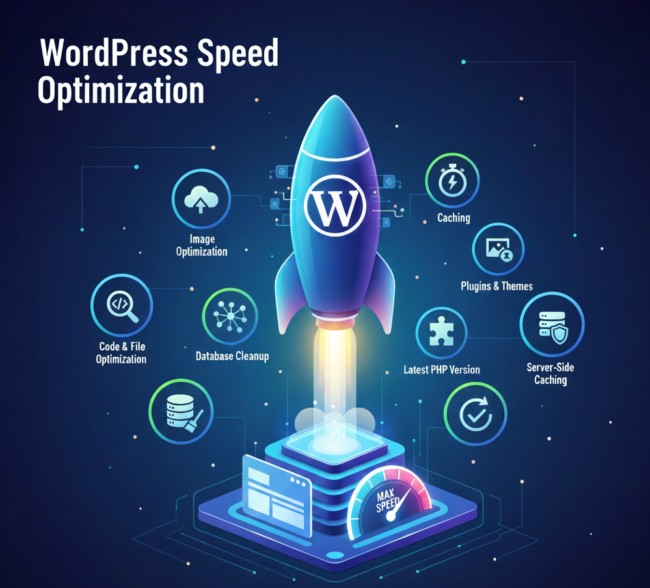
Is your beautiful WordPress website crawling at a slow pace instead of blazing fast?
In today’s digital landscape, website speed is not just a convenience—it’s an absolute necessity. If your site takes more than 3 seconds to load, over 50% of visitors abandon it immediately. This dramatically increases your Bounce Rate and severely hurts your Google Ranking.
Google and other search engines prioritize user-friendly sites, and the primary hallmark of a great user experience is lightning-fast loading speed. If you aim to see your website at the very top and attract spam-free, high-authority traffic, you must take WordPress Speed Optimization seriously.
In this comprehensive, 1300-word guide, we will explore 10 proven methods that will transform your WordPress site into a speed powerhouse. We will cover technical details, crucial server configurations, and content optimization strategies.
I. Why Fast WordPress Speed is Non-Negotiable
You might wonder how a fraction of a second could matter so much. The reality is, it matters profoundly for both search engines and human users.
1. SEO and Ranking Factor
As early as 2010, Google officially announced that Page Speed is a critical ranking factor. In 2020, they further cemented its importance by introducing Core Web Vitals (CWVs) as mandatory ranking signals.
- LCP (Largest Contentful Paint): Measures how quickly the main content loads.
- FID (First Input Delay): Measures the site’s interactivity and responsiveness.
- CLS (Cumulative Layout Shift): Measures the visual stability of the page layout during loading.
If your site fails to meet the benchmarks for these CWVs, you are automatically disadvantaged against your competitors in the SERPs.
2. User Experience and Conversion Impact
When a visitor lands on your site, their patience is extremely limited.
- The 2-Second Rule: This is the maximum time an average user is willing to wait before hitting the back button.
- High Bounce Rate: A slow site directly results in a high bounce rate. If users don’t stay, conversions are impossible.
- Reduced Conversion Rates: For e-commerce or lead generation sites, every 1-second delay in page load time can result in a 7% reduction in conversions and sales.
II. The 10 Proven Methods for Speed Optimization
Now, let’s focus on the 10 essential steps you need to implement to bring about a revolutionary improvement in your site’s performance.
1. Choose Superior Hosting
The foundation of your site—your hosting—must be robust to allow for high performance.
- Avoid Budget Shared Hosting: Cheap shared hosting forces your site to share resources with hundreds of others, often resulting in slow, unpredictable performance during peak traffic.
- Invest in Managed WordPress Hosting: If your budget allows, opt for Managed WordPress Hosting. These servers are specifically configured and optimized for the unique demands of a WordPress environment.
- Implement a CDN (Content Delivery Network): Distribute your website’s static assets (images, CSS, JavaScript) across a global network of servers. When a user accesses your site, content is delivered from the server geographically closest to them, significantly reducing latency and load time. Cloudflare is a popular and effective choice.
2. Implement Aggressive Caching
Caching is the ultimate solution for speed optimization. When a user visits your page for the first time, your server generates the entire page. Caching saves a copy of this generated page. The next time, the server delivers the stored copy instantly, saving precious milliseconds.
Key Caching Implementation Steps:
- Install a Premium Caching Plugin: Tools like WP Rocket, or LiteSpeed Cache (if your host supports it), are highly effective.
- Enable Browser Caching: This ensures repeat visitors load your site almost instantly, as static resources are stored locally on their device.
- Activate File Optimization: Use the plugin settings to enable CSS/JS Minification.
- Schedule Database Optimization: Set up a routine cleaning schedule within your plugin to manage bloat.
Detailed Guide: To understand and implement these steps in detail, including server-side settings, you must read our dedicated resource:Improve WordPress Page Load Speed – For an in-depth, practical guide on these techniques, visit: WordPress Page Load Speed
3. Optimize All Images
Images make a site visually appealing but are often the number one cause of slow speeds. Image optimization must follow strict guidelines:
- Compression: Use lossless or intelligent lossy compression to reduce file size significantly while retaining acceptable quality. Plugins like TinyPNG or ShortPixel handle this automatically.
- Lazy Loading: Implement lazy loading so that images only load when the user scrolls down to view them. This drastically improves the initial page load time (LCP).
- Next-Gen Formats (WebP): Convert all JPEGs and PNGs to the WebP format. WebP images are typically 25-35% smaller than traditional formats.
- Descriptive Alt Text: Always use descriptive Alt Text. This is vital for image SEO, accessibility, and ensuring search engines understand the image content.
4. Code and File Minification
The smaller and cleaner your website’s code, the faster the browser can parse and render it.
- Minification: Remove unnecessary characters, comments, and extra white spaces from your HTML, CSS, and JavaScript files.
- GZIP/Brotli Compression: Ensure your server is using GZIP or, preferably, the newer Brotli compression for text-based files before sending them to the browser.
- Eliminate Render-Blocking Resources: CSS and JS files that load before the main content cause a delay. Use plugin settings to defer or async these files, improving the LCP score.
5. Clean Up Your Database
Over time, WordPress databases get unnecessarily large, or bloated. Old post revisions, spam comments, trashed items, and transient options accumulate.
Database Cleaning Strategies:
- Run a database cleanup plugin (like WP Optimize) once a week.
- Limit the number of post revisions stored (e.g., to five per post).
- Delete (not just deactivate) unused themes and plugins.
- Optimize and repair your database tables regularly.
6. Choose Plugins and Themes Wisely
The great strength of WordPress (plugins) can also be its greatest weakness.
- Lightweight Theme: Select a fast, well-coded, and lightweight theme such as Astra, GeneratePress, or Kadence. These themes prioritize performance over unnecessary design elements.
- Plugin Audit: Conduct a regular plugin audit. Every plugin adds code and database queries.
Crucial Plugin Checks:
- Does this plugin load assets on every single page, even when not needed?
- Is there a lighter, more performant alternative available?
- Is the plugin actively maintained and regularly updated?
Plugin Bloat: Keep the number of active plugins to an absolute minimum. Use a performance monitoring tool to identify which plugins are causing the largest speed delays.
7. Focus on Latest PHP Version
PHP is the scripting language WordPress runs on. Always use the latest stable version (such as PHP 8.2 or newer).
- The latest PHP versions can be up to 30% faster than older versions (like 7.4).
- They are also significantly more secure.
- Check with your hosting provider to ensure your server is running the current recommended version.
8. Control External Scripts
External scripts like Google Analytics, Facebook Pixel, Google Fonts, and third-party ad code can heavily impact loading speed.
- Local Host Resources: Whenever possible, local host resources like Google Fonts instead of loading them directly from the CDN.
- Defer or Delay Scripts: Use optimization settings to defer or delay the loading of third-party tracking scripts until after the main content has loaded.
9. Optimize CSS Delivery and Critical CSS
Browsers have to download and parse all CSS files before rendering the page, leading to render-blocking.
Advanced CSS Delivery Techniques:
- Generate Critical CSS: Generate the minimal, essential CSS required to style the “above-the-fold” content (the part immediately visible on screen).
- In-Line Critical CSS: Embed this small piece of code directly into the HTML <head>.
- Asynchronously Load Remaining CSS: The rest of the page’s CSS can be loaded in the background without blocking the initial render.
- Tools: Caching plugins like WP Rocket often include features to automatically generate and handle Critical CSS.
10. Configure Server Caching
While application-level caching (via plugins) is great, server-level caching (like Varnish or Redis) is even faster because it bypasses PHP entirely. If your host offers server-side caching, ensure it is enabled and correctly configured for optimal performance. This is usually managed by your hosting provider’s control panel.
III. Speed Test Tools and Next Steps
After implementing these optimizations, how do you verify the results?
Regularly test your website’s speed using these reliable tools:
- Google PageSpeed Insights: Provides scores based on CWVs and Google’s own ranking metrics.
- GTmetrix: Gives a detailed waterfall chart, showing exactly which asset is taking the longest to load.
- Pingdom: Allows you to test your site from various global locations.
Conclusion: Your Fast Track to the Top
WordPress Speed Optimization is not a final destination, but an ongoing journey. You must continuously monitor performance after every major plugin update, theme change, or content addition.
By diligently implementing these 10 proven methods, you can dramatically increase your site’s speed, significantly improve user experience, and secure high authority and top rankings on Google. When your site is fast, your users are happy, and Google rewards you.
- Remember: Never compromise security for speed.
In addition to speed optimization, maintaining strong security is paramount. Read about Advanced WordPress Security Measures here to protect your optimized site. Visit here : WordPress Speed Optimization:
Start implementing these strategies today and propel your website to the top of the search results!
9 Comments
These tips are really useful for improving WordPress performance and overall site experience. Well written and helpful.
This guide explains WordPress speed optimization in a very practical way. The database cleanup section helped me understand an issue I was ignoring before.
I’m a bit confused about using a CDN for a low-traffic website. Is it really worth implementing at an early stage?
This post covers all the important aspects of WordPress speed optimization.
The techniques mentioned here actually make sense for long-term results.
Helpful and well-structured information.
Really liked how each optimization method is explained simply.
It’s perfect for beginners as well as experienced users.
Worth reading if speed matters for your website.
Speed optimization is critical, and this blog explains it perfectly.
The methods shared are realistic and effective.
A very informative and useful article.
This article explains WordPress speed optimization in a very clear way.
The methods shared here are practical and easy to implement.
A solid guide for improving website performance.
Page speed is always a challenge for my WordPress sites. Can these methods help improve Core Web Vitals scores as well?
The CDN explanation was helpful. Do you think using a CDN alone can significantly improve loading speed, or should it always be combined with other methods?